Search: #APPLE

✨ 随机碎片 / 资讯文档 / 网站工具 / GitHub 项目 / Bing 壁纸
-
- 通过 Apple 的 Virtualization.framework 启动 iPhone(iOS 26)虚拟机。
自带越狱环境,可用于测试 / 模拟 / 安全研究等。
https://github.com/Lakr233/vphone-cli
#Apple #macOS #iOS #GitHub - macOS 应用,扫描您的 Mac 上是否存在基于 Electron、Rosetta2 和 VSCode 的应用程序。
https://github.com/Lakr233/SafariYYDS
#macOS #GitHub #Apple #Tool -
- Apple CDN Network Bench - 网络测速脚本
Apple CDN (mensura.cdn-apple.com) 的下载 / 上传 / 延迟测速脚本集合。
https://github.com/tsosunchia/apple-cdn-network-bench
#Network #Script #Tool #GitHub #Apple - 多区 Apple Store 账户 / 下载管理 Web 界面 —— AssppWeb
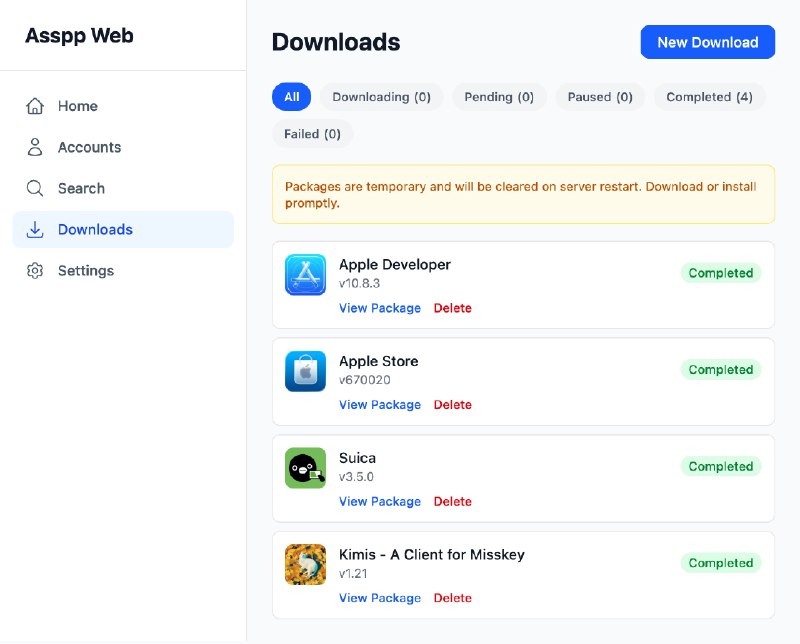
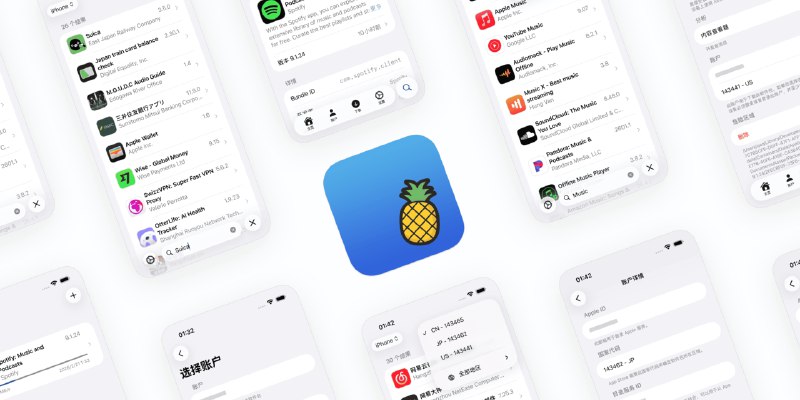
https://github.com/lakr233/assppweb
#Apple #iOS #GitHub #Tool - 让 #Apple 日历显示天气 https://www.v2ex.com/t/1186743
手机打开 https://weather-in-calendar.com 输入城市全拼,点击 Add to your Calendar;
跳转到日历 App ,点击查找。
另外还有个日历节假日补充: https://fixcalendar.pages.dev/cn.ics - Logi Options+ 证书过期了
#Apple
Aspector:
app 打不开,鼠标配置也加载不了
如果考虑到多设备切换,把配置放到电脑端好像也还合理?但这忘续证书了是何意啊 ~/ codesign -dv --extract-certificates "/Applications/logioptionsplus.app" Executable=/Applications/logioptionsplus.app/Contents/MacOS/logioptionsplus Identifier=com.logi.optionsplus Format=app bundle with Mach-O universal (x86_64 arm64) CodeDirectory v=20500 size=768 flags=0x10000(runtime) hashes=13+7 location=embedded Signature size=8996 Timestamp=Dec 1, 2025 at 2:10:23 PM Info.plist entries=32 TeamIdentifier=QED4VVPZWA Runtime Version=14.0.0 Sealed Resources version=2 rules=13 files=53 Internal requirements count=1 size=180 ~/ openssl x509 -in codesign0 -noout -dates notBefore=Jan 5 20:39:41 2021 GMT notAfter=Jan 6 20:39:41 2026 GMT
https://www.v2ex.com/t/1183621 - iDescriptor - 开源跨平台 iOS 设备管理工具,电脑连接管理 iPhone
https://github.com/iDescriptor/iDescriptor
iDescriptor 是一款开源跨平台的 iOS 设备管理工具,兼容 Windows、macOS 和 Linux。
● 浏览、挂载 iOS 设备的文件系统,把设备当成普通驱动器访问文件
● 导入照片与视频、查看媒体内容
● 从 App Store 下载并安装应用(需要登录 Apple ID)
● 将设备屏幕实时投影到电脑(AirPlay / Live Screen 支持)
● 模拟 GPS 位置(仅 iOS ≤ 16 且需挂载 Developer Disk Image)
● 对已越狱设备开启 SSH 终端,访问系统隐藏目录
● 显示设备系统/硬件信息、电池状态、USB 线缆认证信息等
● 支持设备重启、关机、进入恢复/诊断模式
#iOS #Apple #Tool #GitHub - iOS App Signer - iOS / tvOS 应用签名工具
https://github.com/DanTheMan827/ios-app-signer
iOS App Signer 是一个 macOS 应用程序,用于对 iOS 应用进行重新签名并将其打包成可以安装到 iOS 设备的 IPA 文件。
支持多种输入格式(IPA、DEB、APP、XCARCHIVE),需要用户提供有效的配置文件和签名证书。
用户可以在签名过程中选择修改应用 ID 和显示名称。
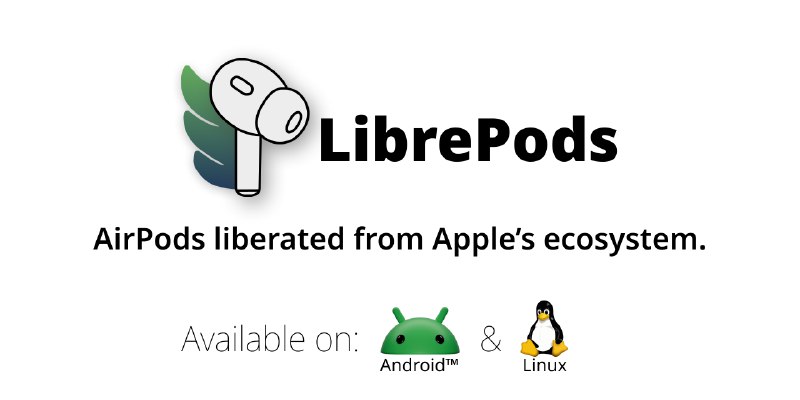
#iOS #Apple #macOS #GitHub - LibrePods - 在 Android / Linux 设备上使用 AirPods,解锁苹果独占功能
https://github.com/kavishdevar/librepods
LibrePods 是一个为非苹果设备解锁苹果 AirPods 的独占功能的开源项目。
用户可以在 Android 和 Linux 设备上使用噪声控制、自适应透明度、耳朵检测、助听器、电池状态等高级功能。
项目通过逆向工程 AirPods 蓝牙协议实现,主要支持 AirPods Pro 2/3 和 AirPods Max。
Android 版本需要 root 权限和 Xposed 框架, Linux 版本正在开发中。
#Android #Linux #Tool #Apple #GitHub - AirPrint_Bridge - 让旧打印机支持 iPhone 无线打印
https://github.com/sapireli/AirPrint_Bridge
AirPrint Bridge 是一个开源 macOS 脚本,用于为不支持 AirPrint 的打印机启用 AirPrint 功能,让 IPhone/iPad 用户能直接使用旧打印机实现无线打印。
无需额外硬件或付费软件,利用 macOS 内置的 Bonjour 协议和 dns-sd 工具,将共享打印机注册为 AirPrint 服务,并通过 launchd 作为后台服务持久化运行。
#macOS #Tool #iOS #Apple #GitHub
Source link - 适用于 iOS/iPadOS 16.0-26.1 和 26.2 beta 1 等版本的定制工具,在 macOS 上生成 MobileGestalt 配置文件通过 AirDrop 传输到 iOS/iPadOS 设备上应用。
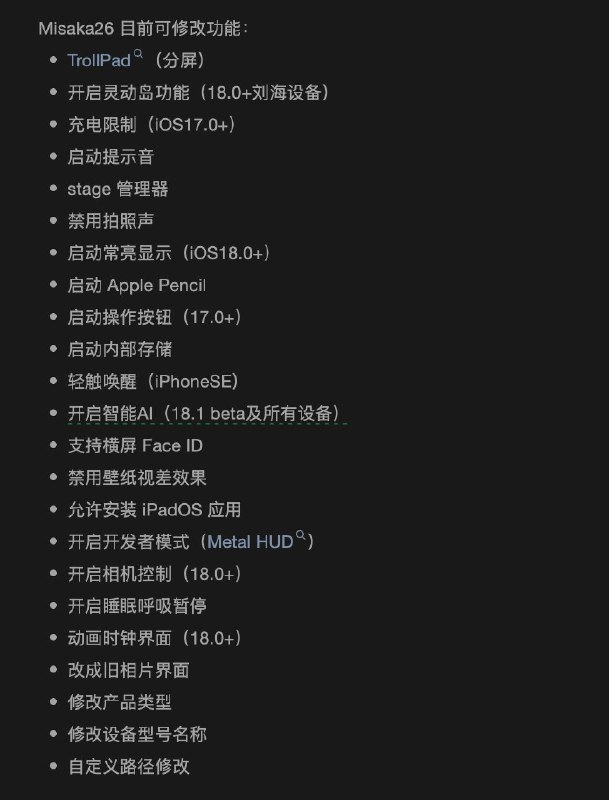
可用来开启 AOD, 国行设备启用 Apple Intelligence 等等
https://github.com/straight-tamago/misaka26/
#Apple #iOS #Tool #GitHub - 苹果 App Store 前端源代码存档
https://github.com/rxliuli/apps.apple.com
项目作者发现苹果在生产环境的前端代码中忘记禁用sourcemaps,因此将获取到的源代码存档在GitHub上,使用 save-all-resources 插件获取。
#Apple #Chrome #Extension -
- 首发 M5 芯片:苹果全新 14 英寸 MacBook Pro、iPad Pro 发布
苹果 CEO 蒂姆・库克今晚宣布,全新 14 英寸 MacBook Pro、iPad Pro 发布,两款新品均首发搭载 M5 芯片,将在 10 月 17 日上午 9 点接受预购,并在 10 月 22 日发售。
全新 14 英寸 MacBook Pro
•16GB+512GB:12999 元起
•16GB+1TB:14499 元起
•24GB+1TB:15999 元起
全新 iPad Pro
•11 英寸机型:8999 元起(12GB+256GB)/ 10699 元起(12GB+512GB)/ 14099 元起(16GB+1TB)/ 17499 元起(16GB+2TB)
•13 英寸机型:11499 元起(12GB+256GB)/ 13199 元起(12GB+512GB)/ 16599 元起(16GB+1TB)/ 19999 元起(16GB+2TB)
#Apple #macOS - Misaka - iOS 和 tvOS 免越狱定制工具
https://github.com/straight-tamago/misaka
Misaka 是一款 iOS 和 tvOS 定制工具,可以让 iPhone 用户在不越狱的情况下自定义设备。
● 支持 iOS 15.0 - 16.6.1 版本
● 支持 KFD 和 MDC 两种定制方式
● 提供超过 24 个默认存储库和 400 多个插件
● 可以通过 AltStore、Sideloadly 或 TrollStore 安装
#Apple #iOS #Tool #GitHub - Mole - macOS 文件存储清理
https://github.com/tw93/mole挺好用的
像鼹鼠一样深入挖掘来清理您的 Mac
清理内容和功能
● 深度系统清理:缓存、日志、临时文件、垃圾桶
● 浏览器缓存清理:支持 Safari / Chrome / Arc / Firefox 等
● 开发者环境清理:Xcode Derived Data 、Node.js 、npm 、pip 、Docker 、Homebrew 等
● 常用应用缓存清理:Slack 、Discord 、JetBrains 、VS Code 、Notion 等
● Dry-run 模式:预览将要删除的内容,不实际执行
● 白名单机制:支持自定义目录保护,避免误删关键缓存
卸载内容和功能
● 应用主程序卸载:删除 /Applications/App.app
● 应用支持文件清理:~/Library/Application Support/AppName
● 缓存文件清理:~/Library/Caches/com.company.app
● 偏好设置清理:~/Library/Preferences/com.app.plist
● 日志与崩溃报告清理:~/Library/Logs/AppName
● 沙盒容器数据清理:~/Library/Containers/com.app.id
● 多选卸载:支持批量选择应用卸载
● 卸载统计:展示已删除应用数量和释放的空间大小
#macOS #Apple #Tool #GitHub
———相关类似 macOS 清理工具———
https://github.com/alienator88/Pearcleaner
https://github.com/mac-cleanup/mac-cleanup-py -
- https://github.com/TheResonanceTeam/TrollApps
#iOS #Apple #GitHub
TrollApps 是 TrollStore 用户的 App Store 替代。TrollApps 允许用户从仓库下载 App 并在 TrollStore 中直接安装。